← All demos·GitHub integration·GitLab demo

GitHub product demo

See MergeGuard on a real GitHub pull request

Recorded walkthrough plus screenshots from a sample PR—risk scores, inline threads, follow-up scans, and deep scan in GitHub’s native UI.

GitHub walkthrough video

From install or connect through review summary, files changed inline comments, and PR commands.

youtube.com — GitHub PR walkthrough

What it looks like on GitHub

Captured from a live-style demo PR—no illustrations. Your team sees the same panels after install.

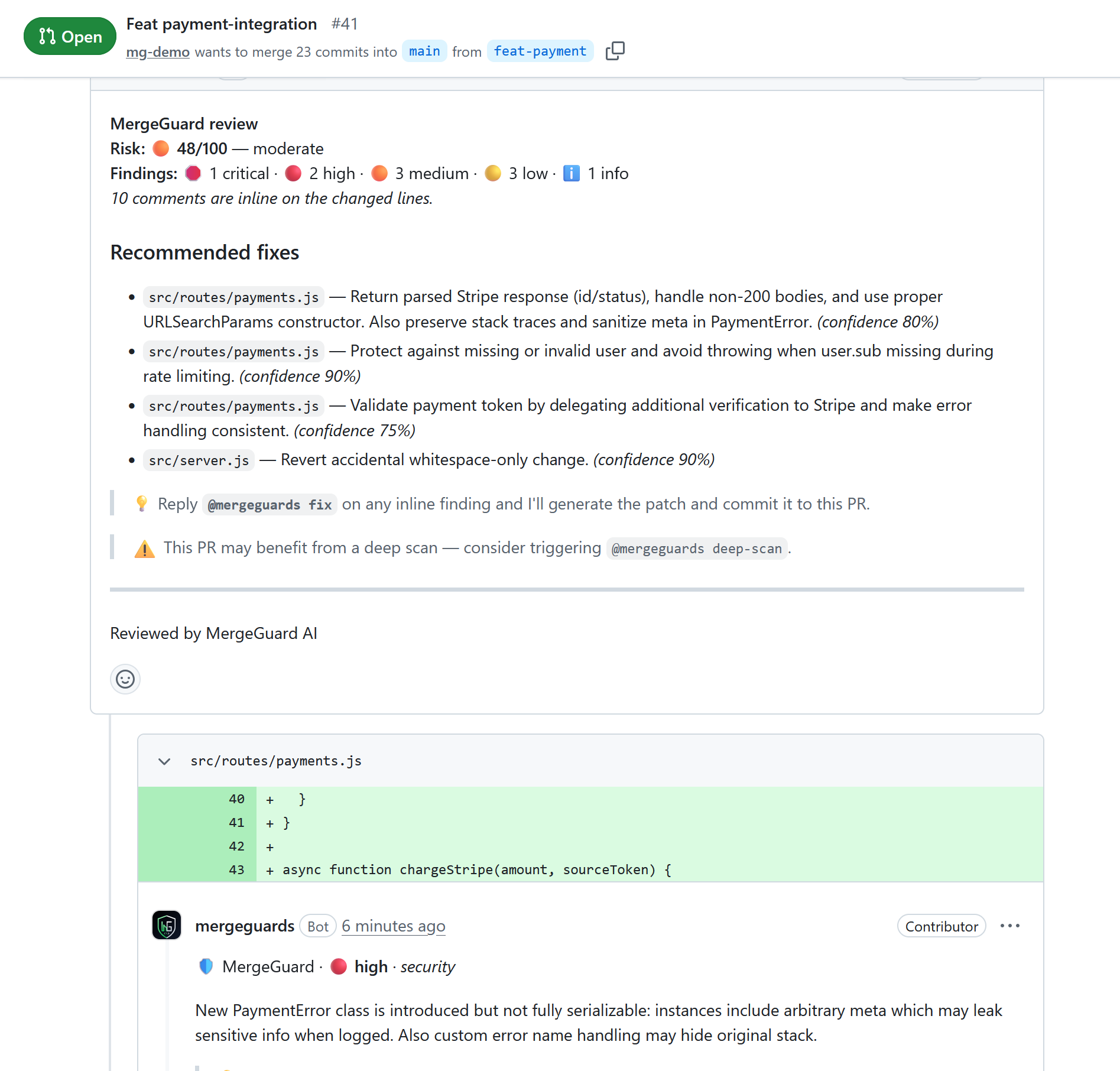
PR review summary
GitHub pull request showing MergeGuard AI review with risk score, finding counts, recommended fixes, and an inline security comment on the diff
Risk score, severity breakdown, recommended fixes, and inline findings on Files changed—exactly where your team already reviews.
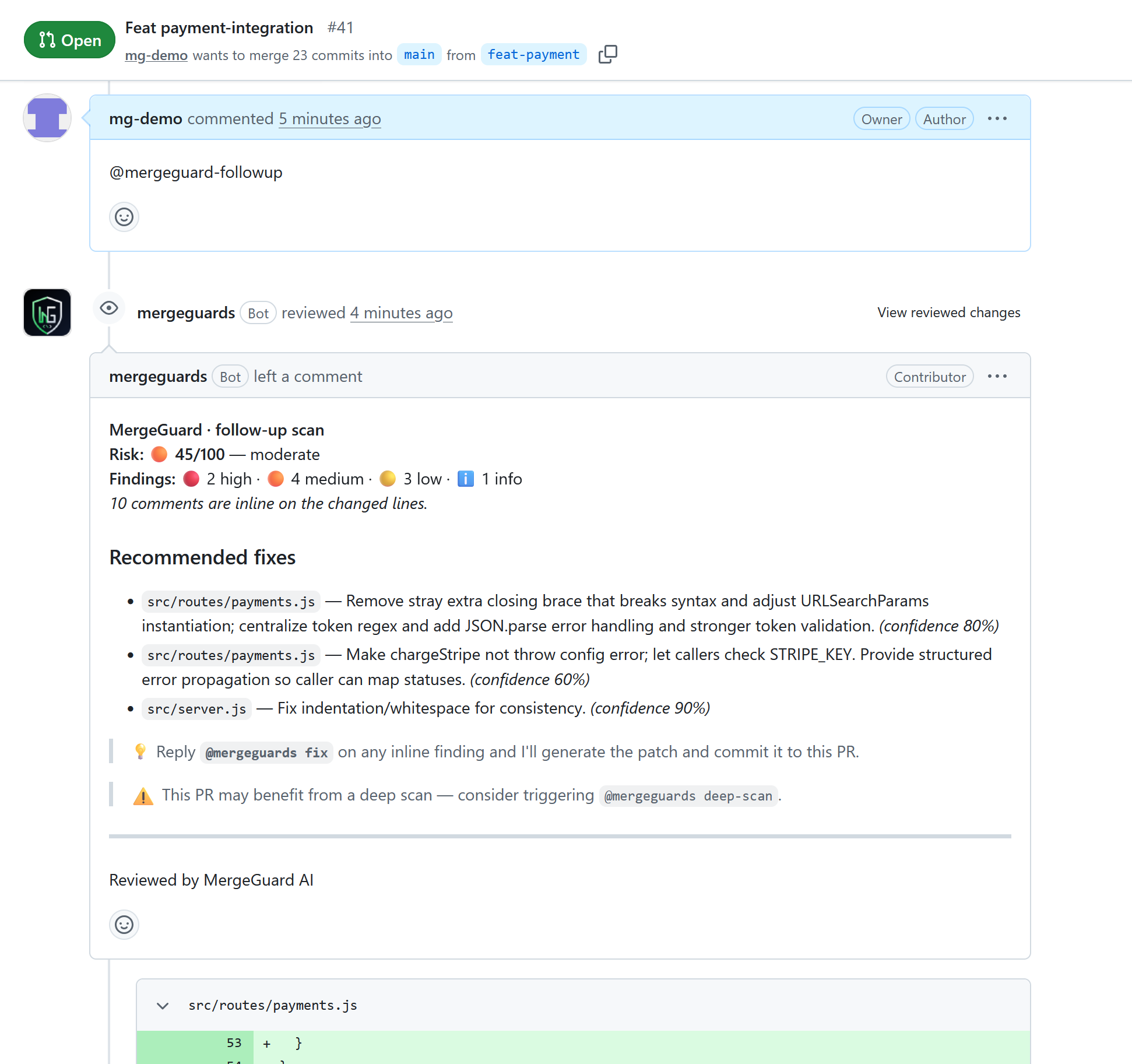
Follow-up scan
GitHub pull request after @mergeguard-followup showing MergeGuard follow-up scan summary with updated risk score
Reply @mergeguard-followup after new commits; MergeGuard re-scans the current head and posts an updated summary.
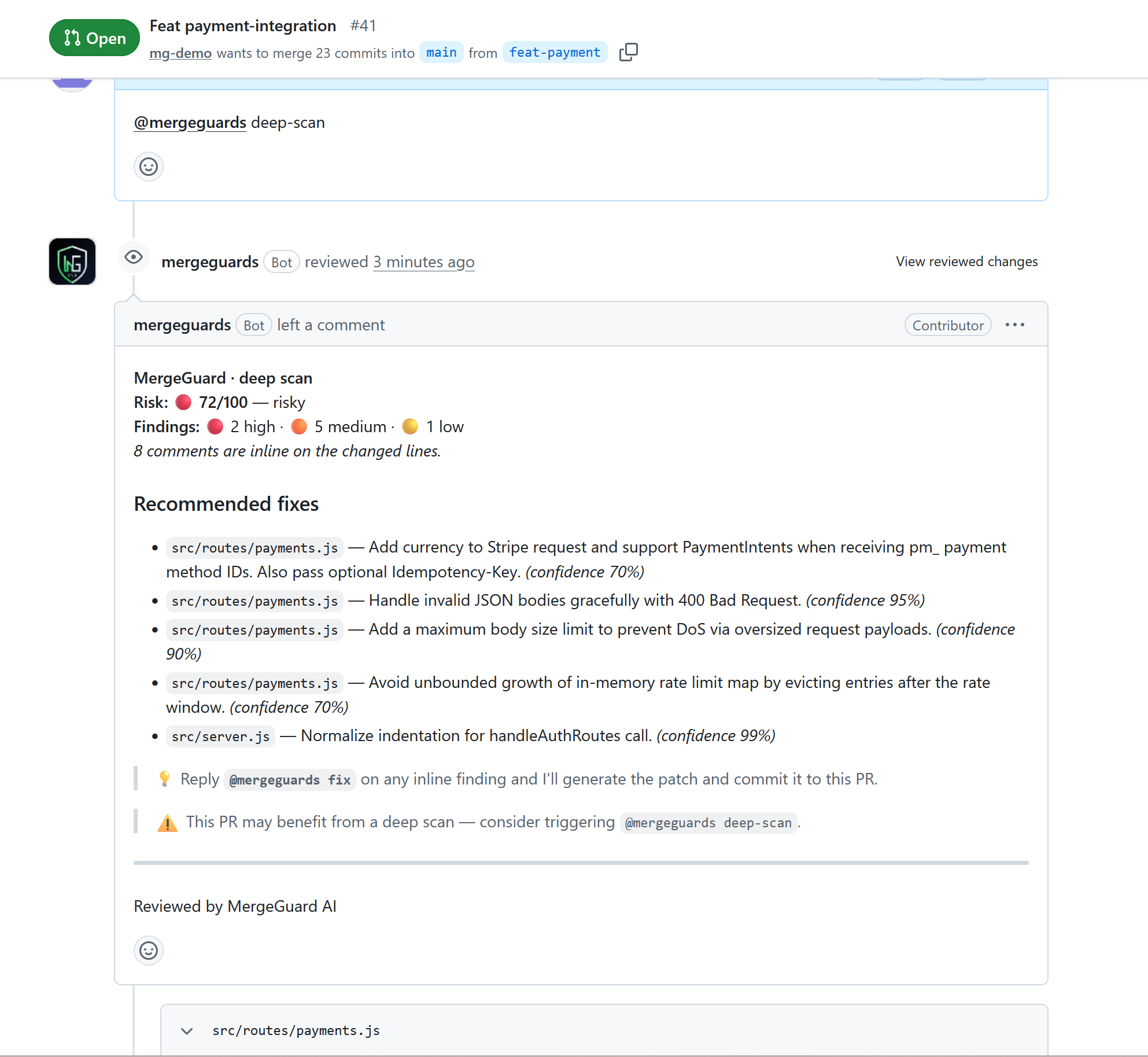
Deep scan
GitHub pull request after @mergeguards deep-scan showing MergeGuard deep scan with elevated risk score and security recommendations
Trigger @mergeguards deep-scan for a heavier security and architecture pass before merging large or sensitive changes.

Try it on your GitHub repo

Install the MergeGuards GitHub App, open a pull request, and get your first review in under two minutes. Reply @mergeguard-followup or @mergeguards deep-scan on the Conversation tab; use @mergeguards fix on inline diff threads.