← All demos·GitLab integration·GitHub demo

GitLab product demo

See MergeGuard on a real GitLab merge request

Walkthrough of OAuth connect, MR overview summary, inline diff threads, and MR commands—native GitLab UI with the same command surface as GitHub.

GitLab walkthrough video

From install or connect through review summary, changes inline comments, and MR commands.

youtube.com — GitLab MR walkthrough

What it looks like on GitLab

Overview summary first, then inline findings on the diff—your team stays in GitLab for review and fixes.

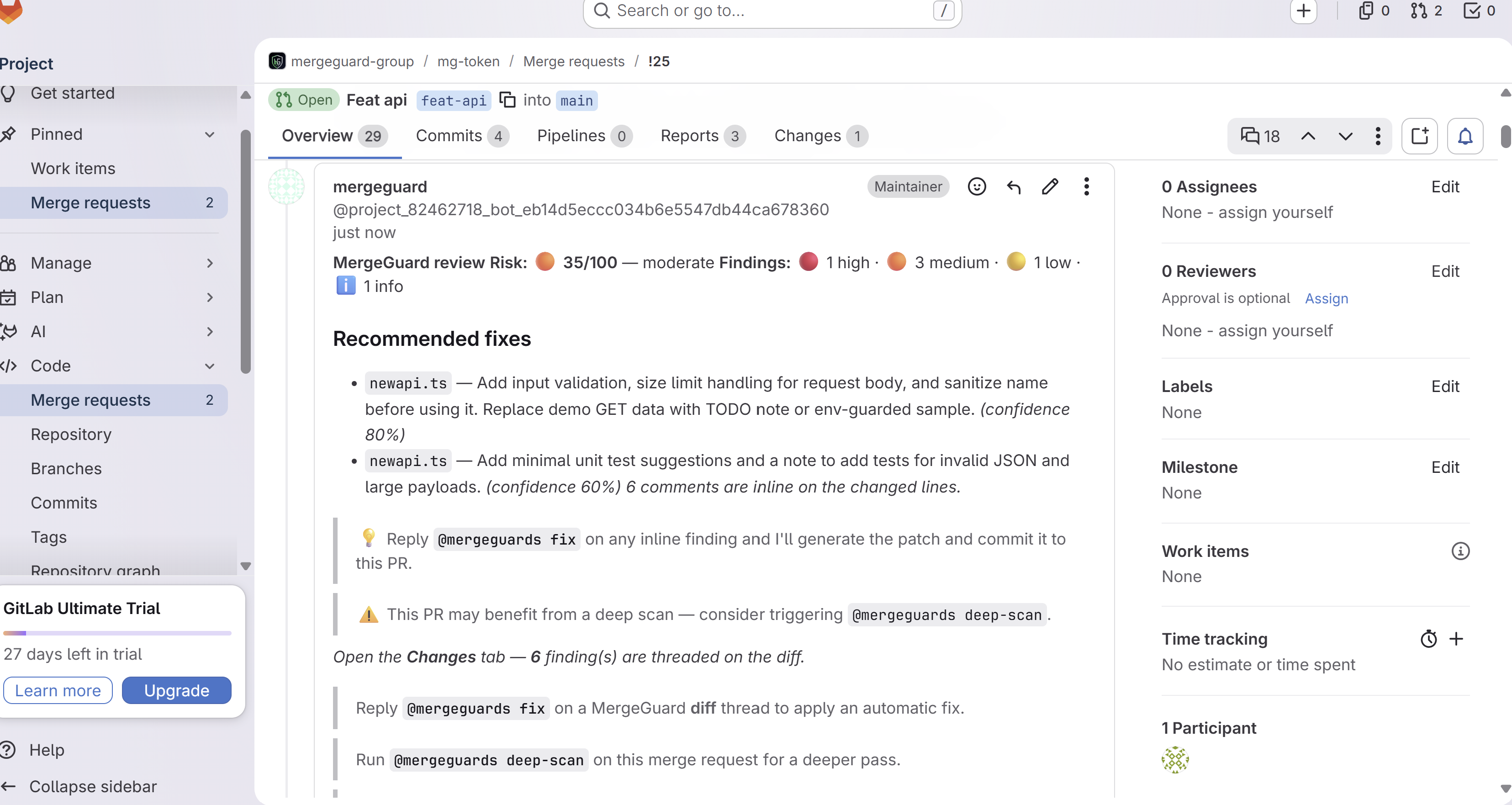
MR review summary
GitLab merge request Overview tab with MergeGuard review note showing risk score, severity counts, recommended fixes, and link to inline findings on Changes
Overview note first: risk score, **Recommended fixes**, then per-file findings. Open **Changes** for threaded inline comments.
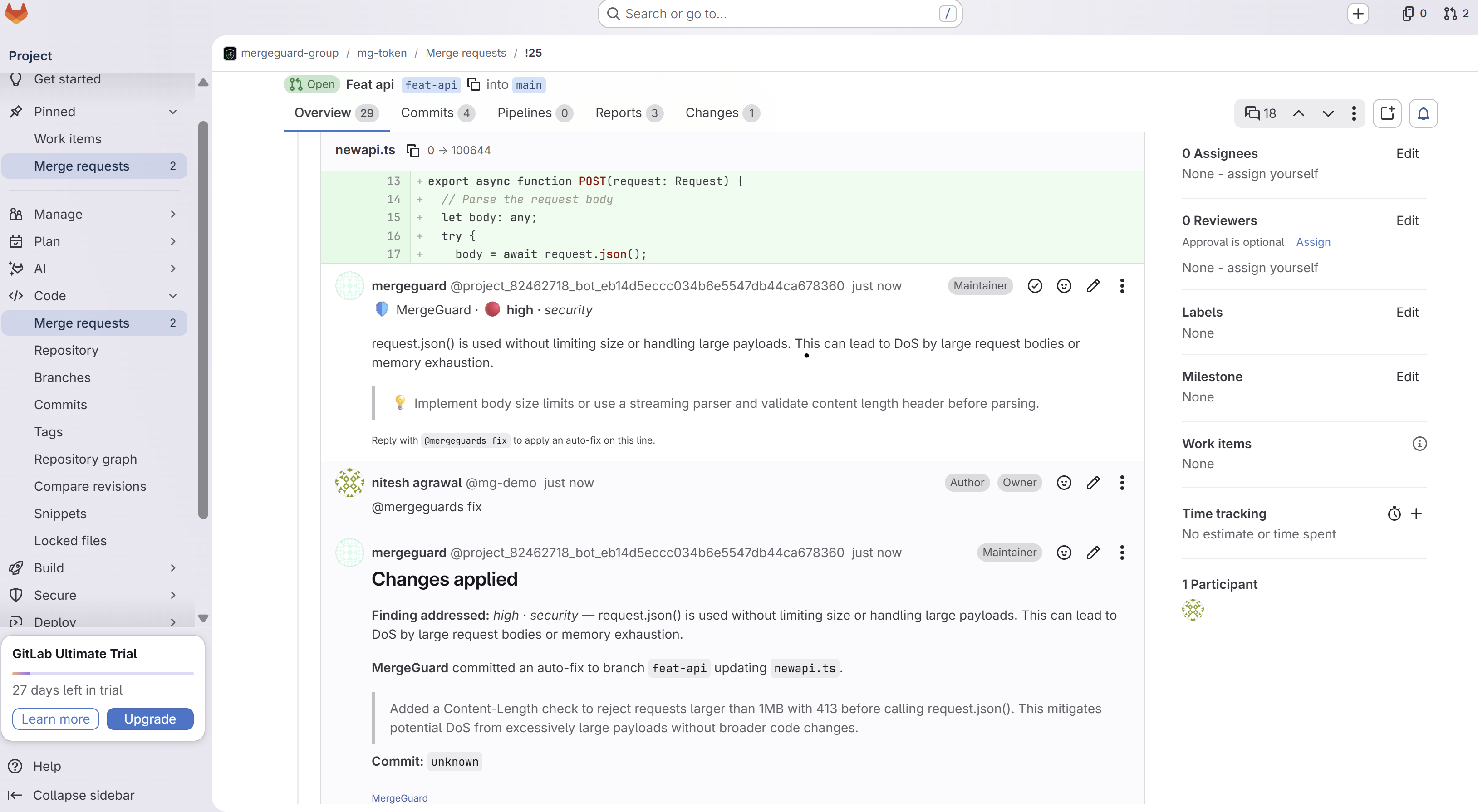
Inline finding
GitLab merge request Changes tab with MergeGuard high-severity inline security comment on newapi.ts and @mergeguards fix prompt
Findings on the **Changes** diff—reply **`@mergeguards fix`** on the thread to apply a patch on the MR branch.
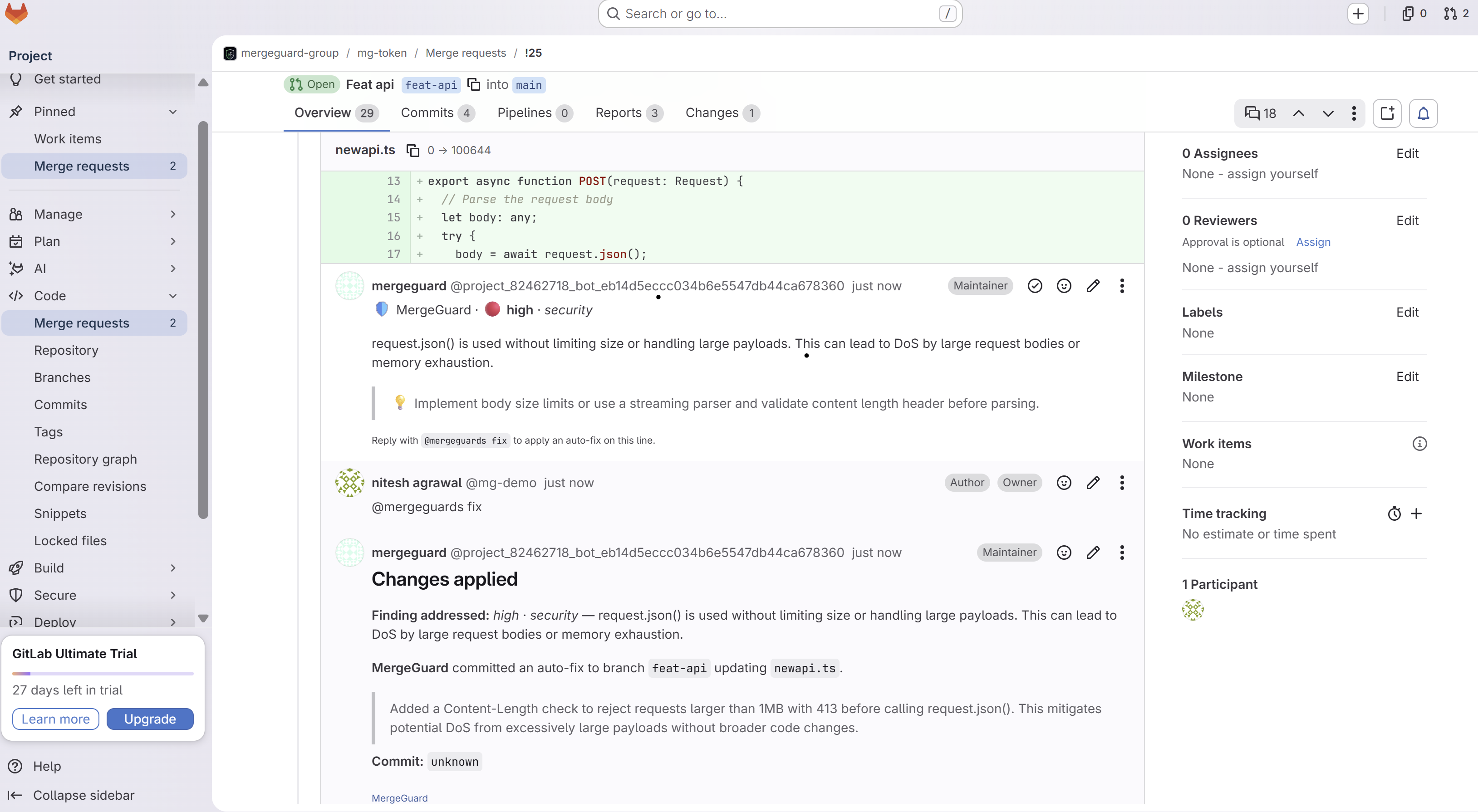
Auto-fix applied
GitLab merge request thread showing @mergeguards fix command and MergeGuard confirmation that an auto-fix was committed to feat-api
MergeGuard commits to your source branch and replies in the same discussion with what changed.
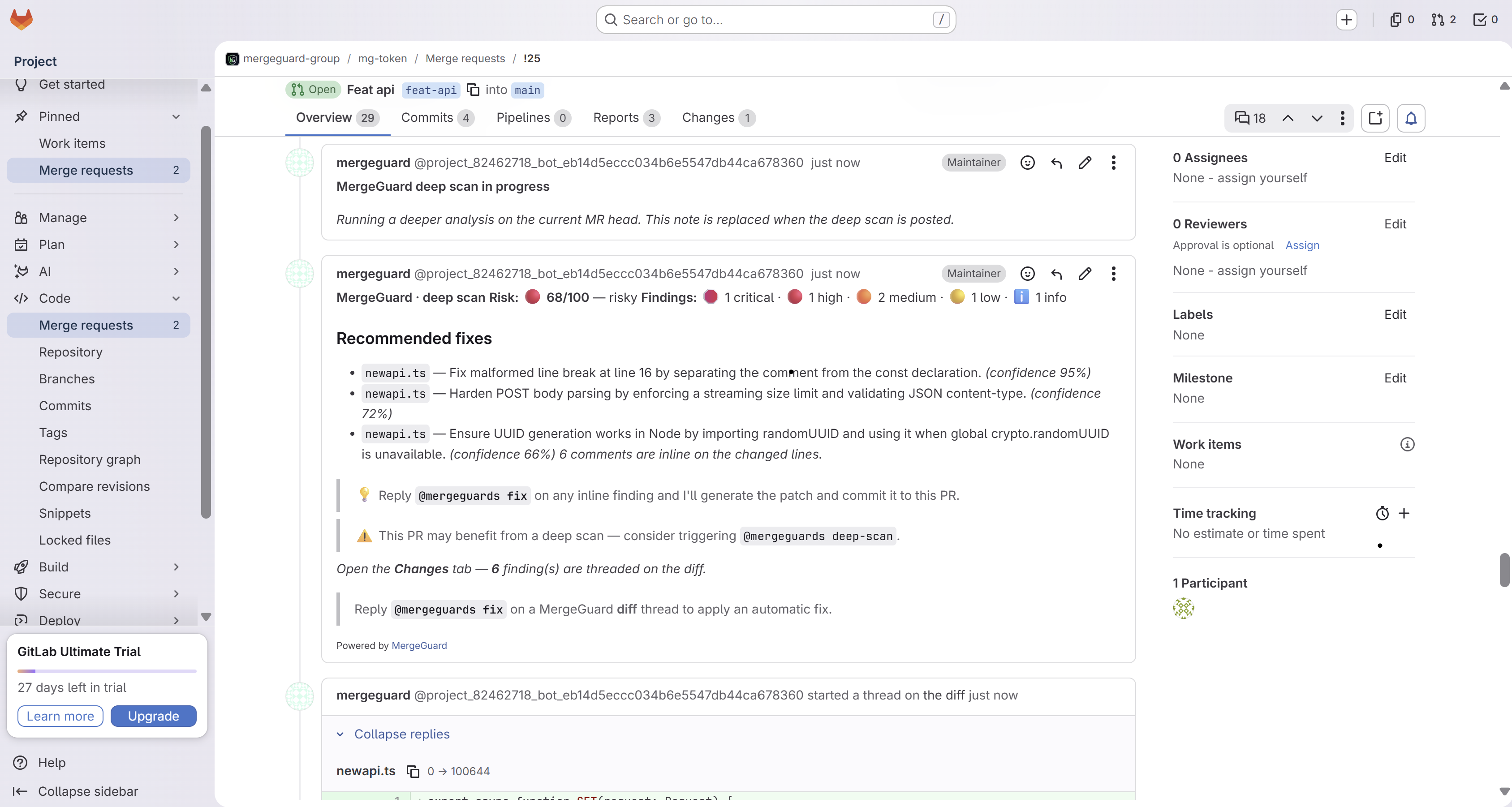
Deep scan
GitLab merge request Overview with MergeGuard deep scan summary showing elevated risk score and recommended fixes
Post **`@mergeguards deep-scan`** on the MR **Overview** tab for a heavier security and architecture pass (paid plan).

Try it on your GitLab project

Sign in with GitLab, connect a project from the dashboard, open an MR, and get your first review in under two minutes. Post @mergeguard-followup and @mergeguards deep-scan on the MR Overview tab; reply @mergeguards fix on Changes diff threads.