
MergeGuard on GitHub
Install the GitHub App, pick the repos, and open a pull request. MergeGuard comments on the diff. Reply on the thread if you want a suggested patch applied. Using GitLab instead? → Watch GitHub demo →
All demosGitHub demoGitLab demoMergeGuardAgent demoDashboard demoInstall MergeGuardAgent
1
GitHub workflow · Screen 1/6
Install MergeGuard on another repository
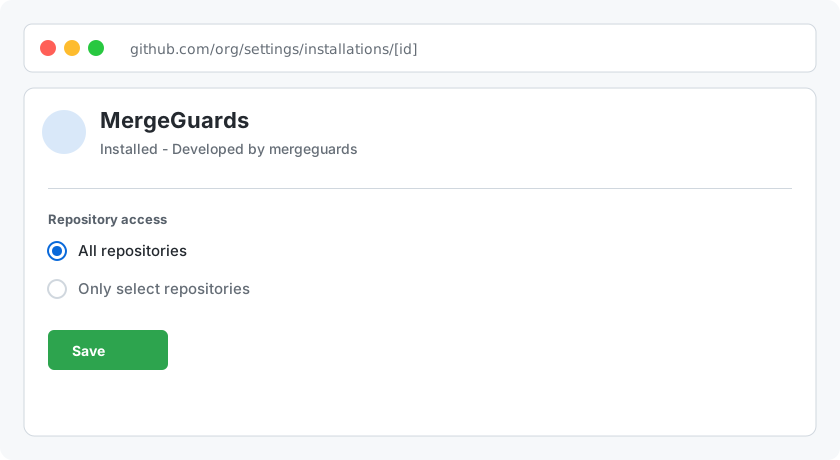
Grant the MergeGuards GitHub App access to the repo you want protected.
- Open GitHub → your org or profile → Apps & integrations → MergeGuards, or use the install link below.
- Pick the owner (organization or user) that contains the repositories you care about.
- Under Repository access, select all repos or only the ones MergeGuard should protect.
- Click Install or Save — installs can be narrowed or widened later from the same page.
1/6 · ← → space