Container image scan
Docker image CVE scanning when a pull request changes a Dockerfile—async so your main review never waits on image build.
Live on Pro+
What triggers a scan
MergeGuard starts a container scan when the PR diff includes a Dockerfile, Dockerfile.*, or *.dockerfile at the repository root or in changed paths. Editing only docker-compose.yml without a Dockerfile in the diff does not trigger an image build yet.
How it works
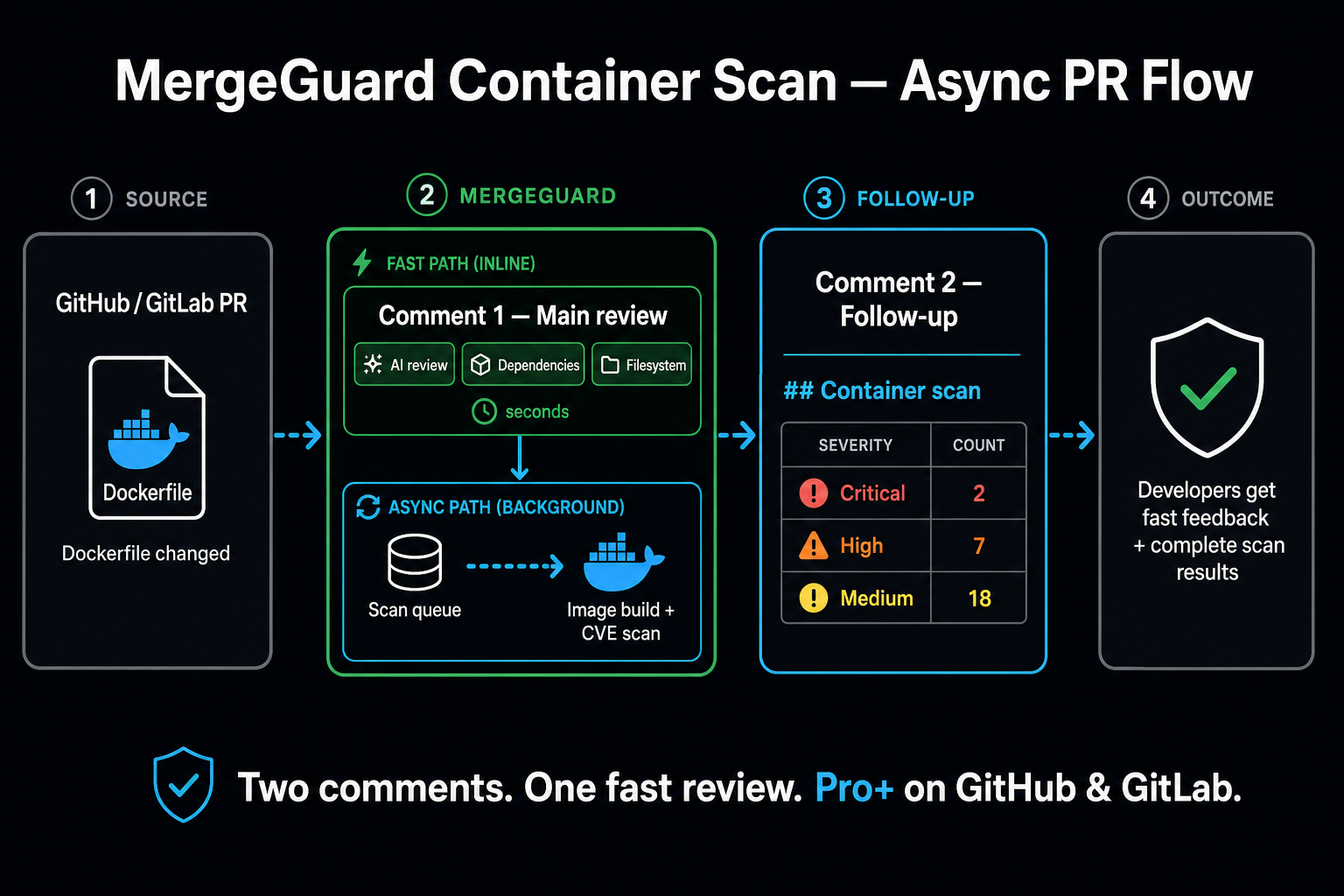
- PR updated — MergeGuard receives the pull request and runs your usual AI review, dependency CVE checks, and filesystem security scans.
- Scan queued — If a Dockerfile changed, an image scan is scheduled in the background. Your review is not held up while the image builds.
- Build & scan— MergeGuard builds the image from your PR's Dockerfile and context, scans it for known CVEs, then discards the temporary image (nothing is pushed to a registry).
- Follow-up comment — CVEs are grouped by severity and posted as a second native PR comment under Container scan.
What you see on the PR
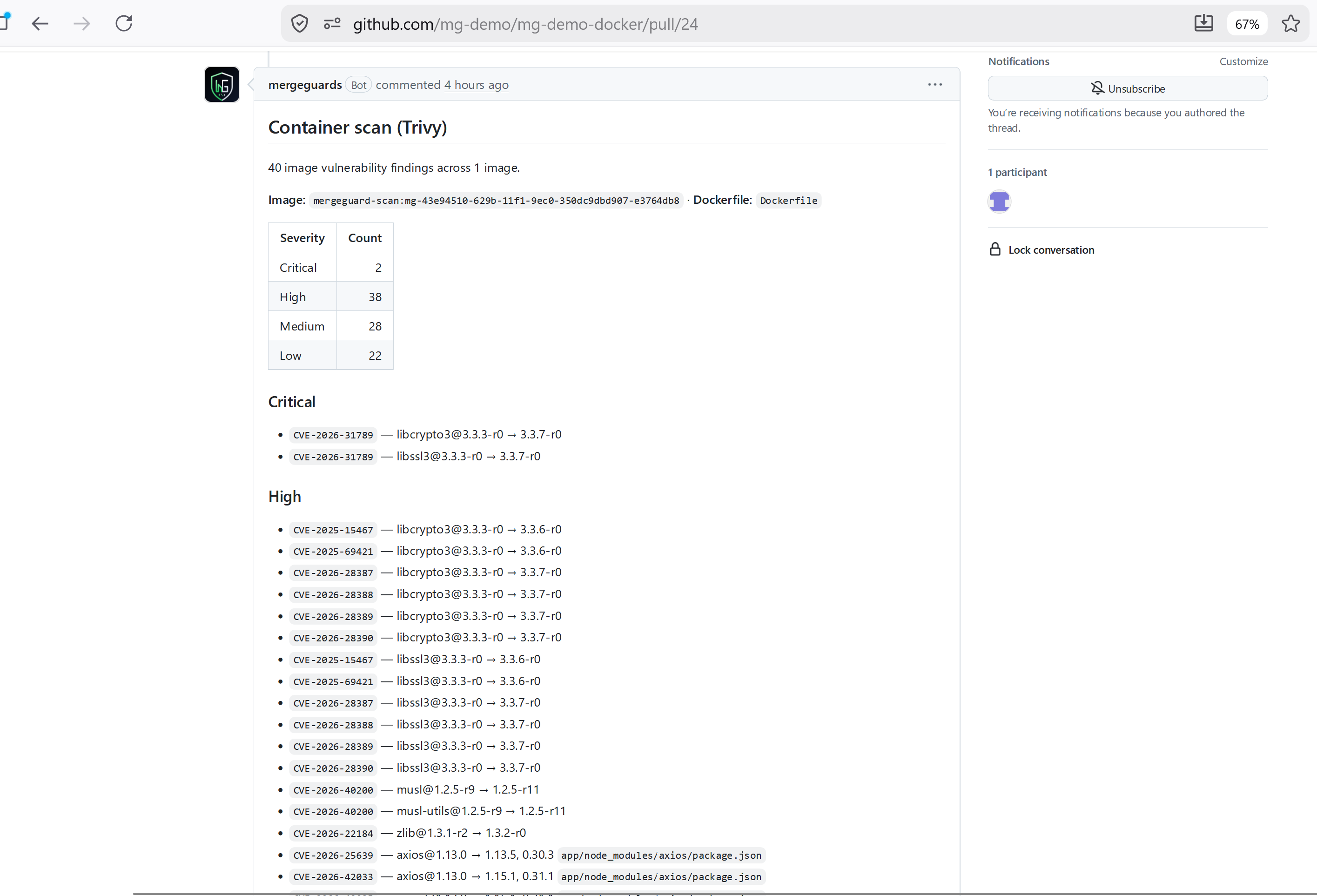
The first review comment includes your usual risk score, AI findings, dependency CVEs, and filesystem security results. When the image scan completes, a follow-up comment lists vulnerabilities found in the built image—for example:
- Which Dockerfile was built
- Critical / High / Medium / Low groupings with CVE IDs and affected packages
- Plain-language skip reasons if the build or scan could not complete
Plans & availability
| Plan | Container image scan |
|---|---|
| Free | Not included |
| Pro / Team | Included for connected repositories |
See Plans & limits and pricing for review quotas only—repository connections are unlimited on linked plans.
GitHub & GitLab
Container scan follow-ups use the same GitHub App or GitLab connection as your main reviews—no extra install step. Connect your repo first: GitHub install or GitLab connect.
Troubleshooting
- No follow-up comment — Confirm the PR actually changed a Dockerfile we detect, and that your workspace is on a Pro or Team plan with container scan enabled.
- Scan skipped — The follow-up explains build or scan failures (for example Dockerfile
COPYpaths missing from the repo). Fix the Dockerfile or build context and push again. - CVE list looks dated — Image scans use a vulnerability database refreshed on our side; contact support if you believe a critical advisory is missing.